
X11 vs Wayland: The 40-Year Display Server War Explained
Your Linux desktop is built on a lie. Not a malicious one. A comfortable one.

The lie that X11 “works fine” and there’s no reason to learn about Wayland. I believed this for years.
I’ve learned something: the technologies that survive solve real problems, not those that merely feel comfortable. And the display server powering your Linux desktop is fundamentally broken in ways most users never see.
Let me show you why this matters, even if you’ve never thought about what a display server actually does.
Part 1: What Is a Display Server? (The Restaurant Analogy)
Imagine a restaurant. You have customers (applications), waiters (the display server), and a kitchen (your graphics hardware).
Without a waiter, chaos reigns. Customers would fight over who gets to use the kitchen first. Some would grab ingredients meant for others. Nobody would know who ordered what.
The display server is that waiter.
It coordinates everything between your applications and your screen. When Firefox wants to draw a webpage, it doesn’t talk directly to your GPU. It asks the display server politely, “Hey, I need to update this rectangle on screen.”
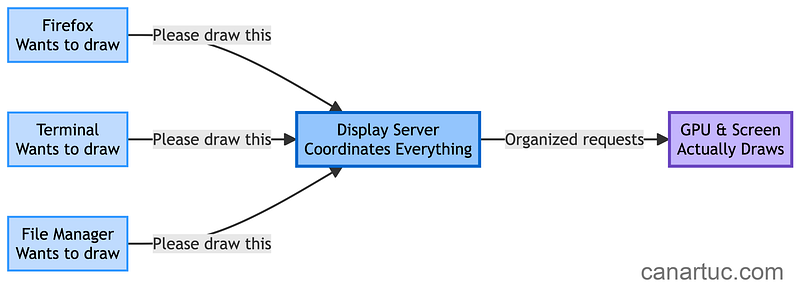
This coordination sounds simple. But here’s where it gets interesting.