
Silencing Kinesis Advantage 2 Keyboard
I have used this keyboard for around six years, but it always disturbs me when I type for longer sessions. Now, I found the solution.
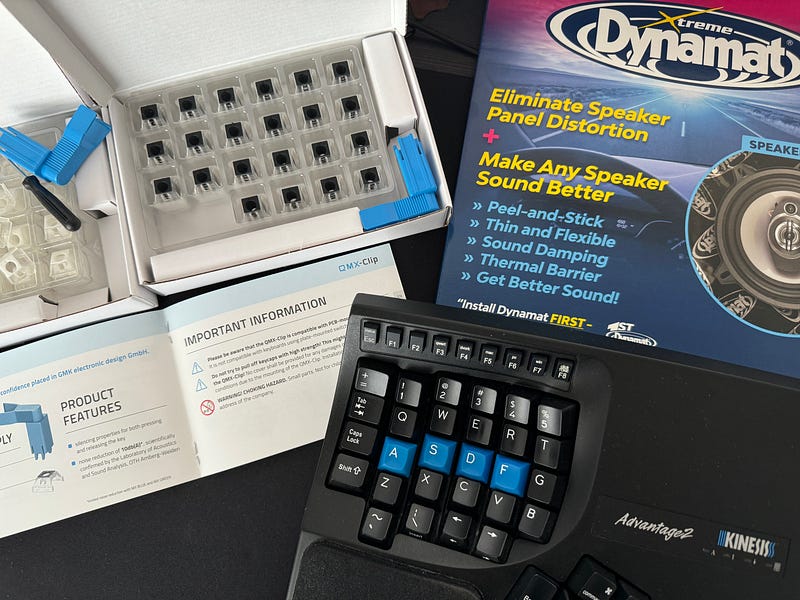
The Kinesis Advantage 2 keyboard was not made for software developers, especially those who frequently use special characters (such as C++, Java, JavaScript, and some parts of Python).
Square and curly brackets are in a weird position that you need to use your fingers in the angle of the weak; some of the keys are not in their original position because of the layout, so you are reaching them by little finger — I don’t know you, but my little finger is not my strongest finger. As a result, nearly all necessary characters are reachable via a little finger, which makes developers’ lives harder. Of course, I am talking about ten-finger writing. Otherwise, you can reach any key with any finger of your wish. You can map the keys as you wish — for example, I remapped the square brackets to page-up and page-down keys, which made my life a bit easier.
Although it is not for the developers, it is the most comfortable keyboard I have ever used. Especially if you are writing only (like I am doing for this article), there is no better keyboard in the market for comfort and speed as long as you know how to write ten fingers.
It is great for writing with a significant downside: F*cking too loud! I haven’t seen a keyboard that loud before (I have a Keycron mechanical keyboard, too). I have brown “quiet” switches, but “quiet” means, in the Kinesis world, it is all about the switch quietness — not the overall quietness. When I began to write with Kinesis (I don’t press so hard on keys), my colleagues complained, so I moved it to my home usage. I cannot handle its loudness without noise-cancelling headphones in longer writing sessions. It is absolutely a nightmare for me.

I purchased an O silicone ring damper for the keys — it affected very little and caused no big gain, and you don’t need to make this purchase. Recently, I came across this article: https://yboulkaid.com/2022/03/15/kinesis.html. It is not a cheap solution, and you can buy another keyboard with these materials in total, so I parked for a while.
Every day, my irritation about the loudness of the keyboard increased — most probably because of the change in my life. Now, I have a son, and he is a bit loud all day long. When he sleeps, I would like to have some quiet time by creating, but then my other child (Kinesis Advantage 2) begins to cry and scream. I decided to give it a try.
My purchase took around 75 euros: 2 types of QMX silencers (because regular keys and thumb clusters need different types) and Dynamat Extreme. Here are the more details about the items:
- QMX-Clips PCB Mount (black on top, these are for thumb cluster): https://uniqey.net/en/accessories/17/qmx-clips-pcb-mount-110-pcs
- QMX-Clips Plate Mount (white on top; these are for regular keys): https://uniqey.net/en/accessories/18/qmx-clips-plate-mount-110-pcs.?c=11
- Dynamat Xtreme — I could purchase the speaker kit version because it is made in the USA, and I cannot find all the versions in the EU. As long as it is the Xtreme version, you can buy any version you like.
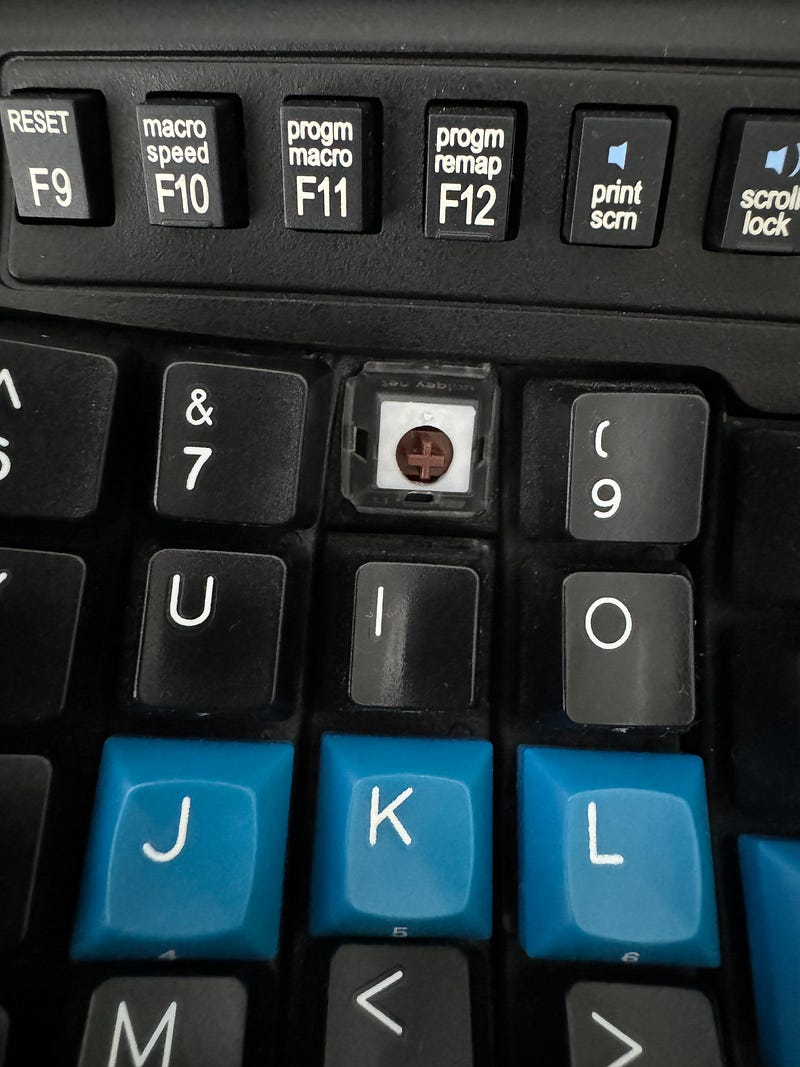
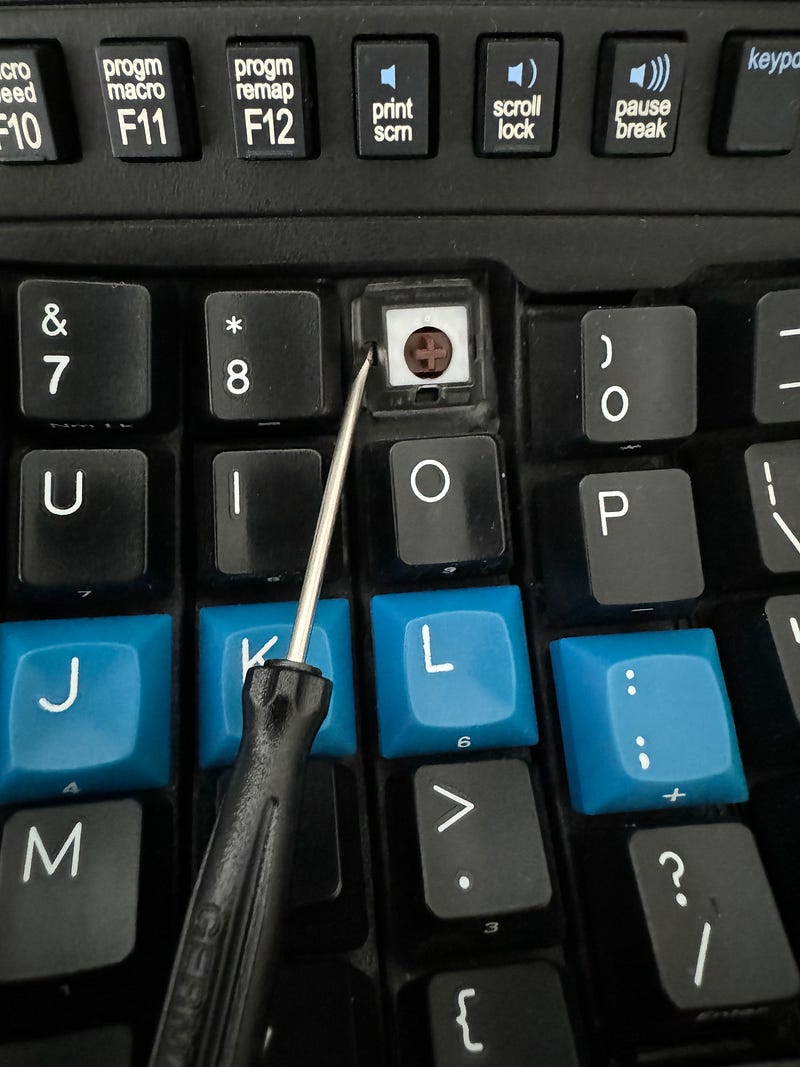
Mounting QMX clips was challenging because they didn’t build it for the keyboard layout like Advantage 2s. It is, ergo layout that some keys are higher than others, have different angles, etc. I couldn’t mount the clips with the blue tool but the flathead screwdriver they provided. I push the connection points with the screwdriver until I hear the clicking noise. Sometimes, it doesn’t happen, so I switched the direction — if I clicked the left side first and the right side was not clicking, I removed and clicked the right side first, then left.
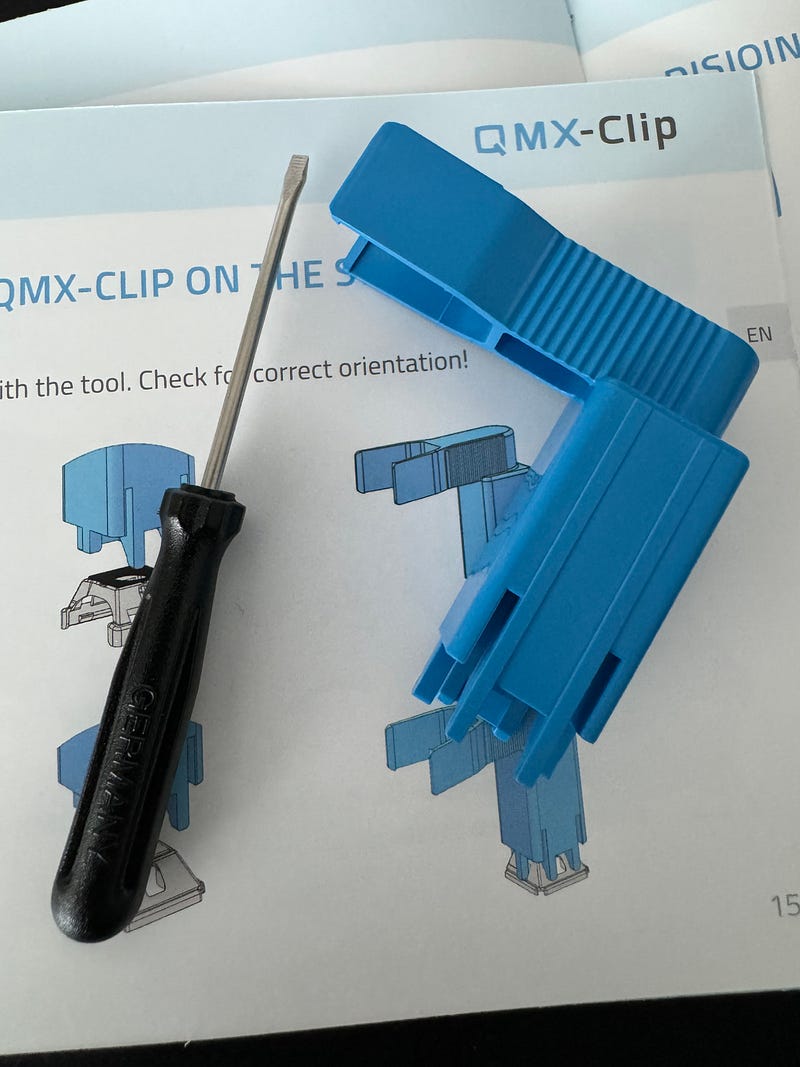
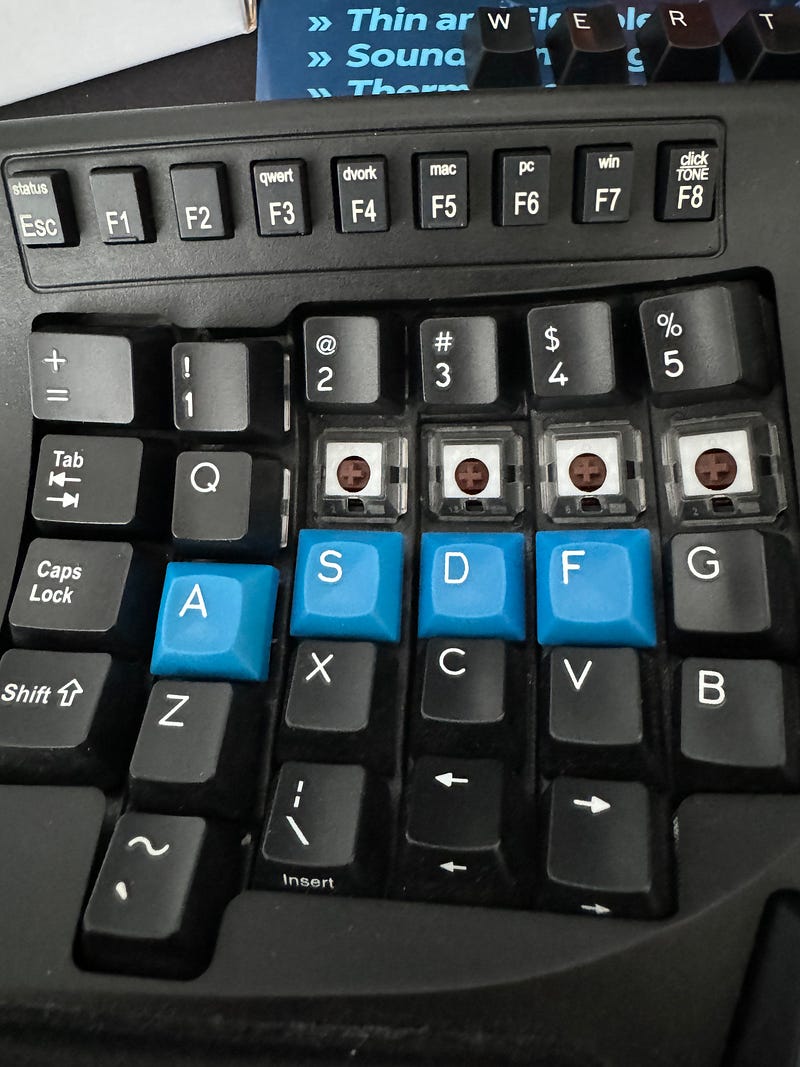


Another challenge was sticking Dynamat Xtreme to the board directly. The bottom was easy, but the actual keys side was challenging because there are many grids, and you need to do custom cuts. Another point is that the keyboard will not close again if you leave the Dynamat Xtreme with its original thickness. Typically, there is a roller tool that you pass through, but I didn’t want to pay extra for an item that I have never used again. So, I pressed over with a wooden ball (it is my son’s part of a toy :)). If you don’t have this chance, you can use a lipstick case, small mug, or something similar, but it is essential that you press over it, and Dynamat Xtreme is losing its thickness. This process is not only for closing the keyboard but also for sound isolation.

I finally finished. The following video is from the first trial. After several days, especially from the Dynamat Xtreme side, it is even getting quieter.